
 Nico de Poel
3d825dd48f
Nico de Poel
3d825dd48f
|
2 years ago | |
|---|---|---|
| .. | ||
| Documentation~ | 2 years ago | |
| Editor | 2 years ago | |
| Samples~ | 2 years ago | |
| ShaderGraphLibrary | 2 years ago | |
| Tests | 2 years ago | |
| .buginfo | 2 years ago | |
| .npmignore | 2 years ago | |
| CHANGELOG.md | 2 years ago | |
| CHANGELOG.md.meta | 2 years ago | |
| Editor.meta | 2 years ago | |
| LICENSE.md | 2 years ago | |
| LICENSE.md.meta | 2 years ago | |
| README.md | 2 years ago | |
| README.md.meta | 2 years ago | |
| ShaderGraphLibrary.meta | 2 years ago | |
| Tests.meta | 2 years ago | |
| ValidationConfig.json | 2 years ago | |
| ValidationConfig.json.meta | 2 years ago | |
| package.json | 2 years ago | |
| package.json.meta | 2 years ago | |
README.md
Shader Graph
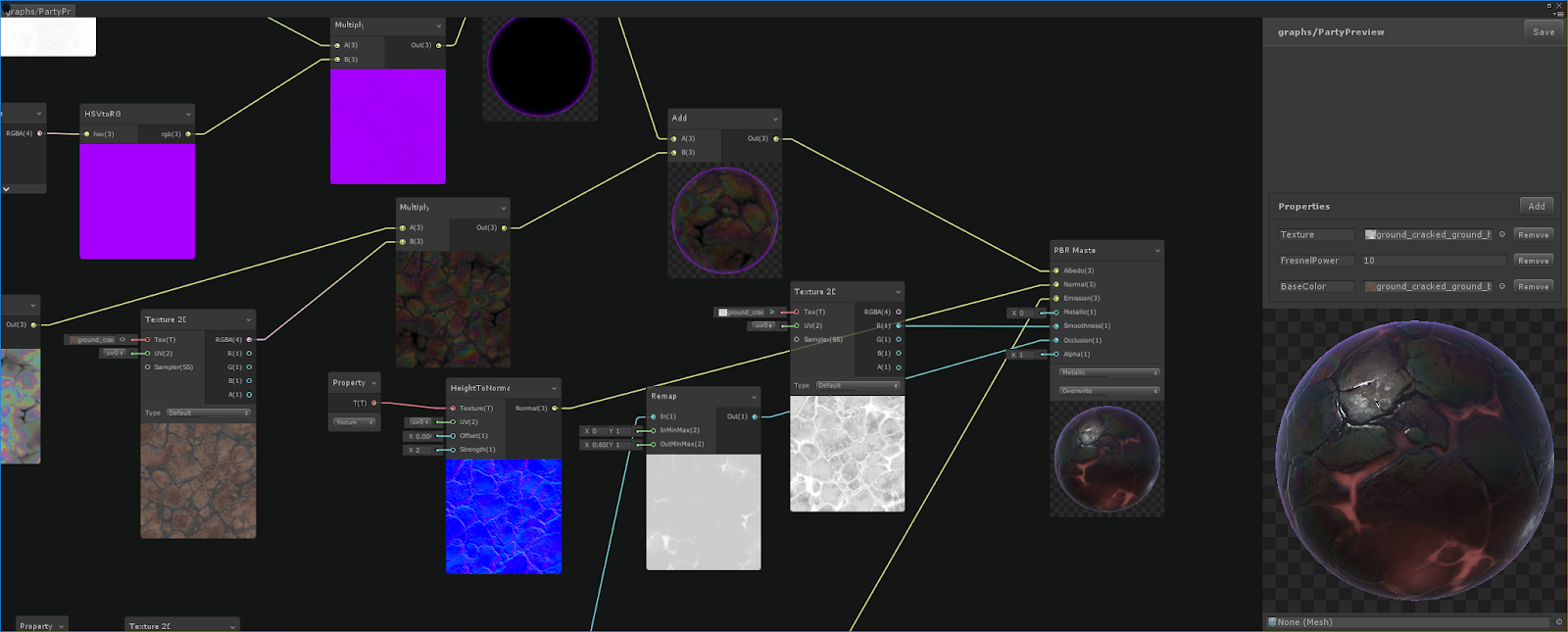
A Shader Graph enables you to build shaders visually. Instead of hand writing code you create and connect nodes in a graph network. The graph framework gives instant feedback on the changes, and it’s simple enough that new users can become involved in shader creation.
Unless you intend to modify Shader Graph or want to try out the latest and unsupported features, Unity recommends that you install Shader Graph through the Unity Package Manager:
- Open a Unity project.
- Open the Package Manager window (Window > Package Manager).
- In the Package Manager window, in the Packages menu, select Unity Registry.
- Do one of the following, based on your project needs:
- To use Shader Graph and the Universal Render Pipeline (URP) in your project, select Universal RP.
- To use Shader Graph and the High Definition Render Pipeline (HDRP), select High Definition RP.
- To use Shader Graph with Unity's Built-In Render Pipeline, select Shader Graph.
Unity recommends using Shader Graph with URP or HDRP.
Instructions
If you want to try out the latest features, we recommend obtaining the most recent version of Shader Graph through the Unity Scriptable Render Pipeline (SRP) repository, which includes the Shader Graph project as a Git submodule. For more information on Git submodules, see Git's documentation on Submodules.
If you don't install Shader Graph through the SRP repository, you don't have any Master Node backends available and your shaders are invalid. Invalid shaders appear pink in the Unity Editor. Installing through the repository also ensures you have a compatible set of render pipeline and Shader Graph versions.
For more detailed instructions for installing from the repository, see the SRP repository's README.